How to Prevent Damage During PCB Laser Cutting Process?

Time:2026-08-06 Author:Mason
0%

In the world of PCB laser cutting, preventing damage is crucial. As industry expert Dr. Sarah Thompson states, "Understanding the laser cutting process is key to minimizing potential harm." She highlights the significance of precision and the role of technique in achieving high-quality results.

Navigating the complexities of laser cutting requires careful planning. Selecting the right parameters is essential. The focus should be on optimizing speed, power, and frequency. This ensures that materials are cut cleanly without excessive heat, which can lead to warping or discoloration.

Controlling the environment is another important aspect. A clean workspace reduces debris that can interfere with the laser path. Additionally, operators must be well-trained. Regular assessments and adjustments are necessary to maintain equipment and adapt processes. Whether you are new to the field or an experienced professional, knowing how to prevent damage during PCB laser cutting remains a continuous learning journey.
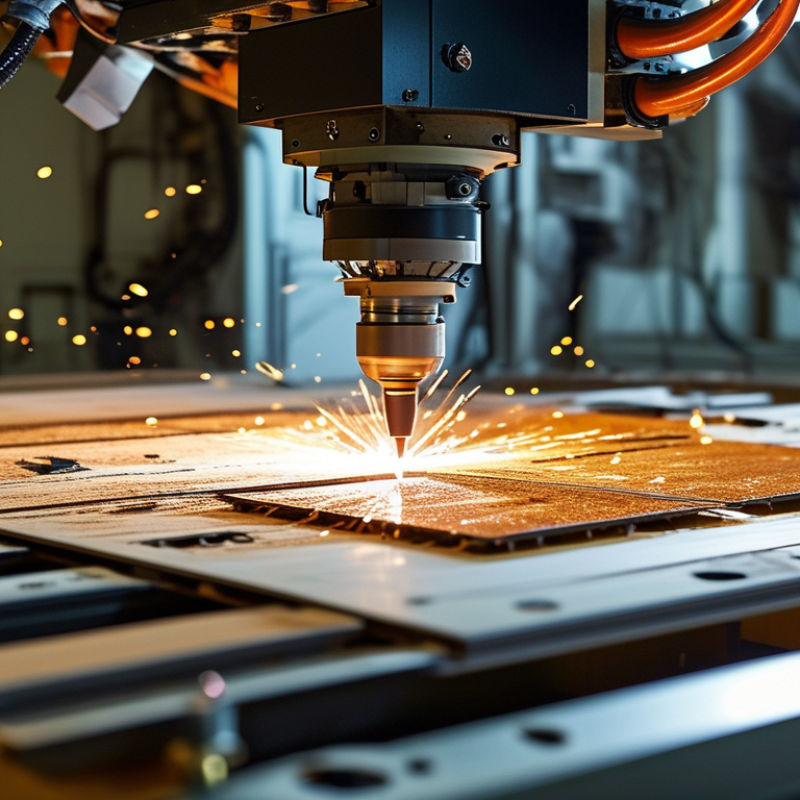
How to Prevent Damage During PCB Laser Cutting Process?

Understanding PCB Materials and Their Properties

Understanding the materials used in PCB manufacturing is essential for effective laser cutting. Common materials include FR-4, a fiberglass-reinforced epoxy laminate. While it's popular due to its durability, it can be sensitive to heat. Excessive heat can lead to delamination or warping. Knowing how each material reacts during cutting can aid in choosing the right settings and techniques.


Polyimide is another widely used substrate. It's noted for its thermal resistance. However, precision is crucial when processing it. If the laser power is too high, it may produce unwanted fumes or cause burning. A balance between speed and power is essential to avoid damage. Each choice in material impacts the overall outcome and quality of the PCB.


Some operators often overlook the environmental factors linked to the cutting process. Dust accumulation can interfere with the laser’s effectiveness. Regular maintenance of equipment is vital but can be time-consuming. Neglecting this can lead to less accurate cuts and wasted materials. This reflection on the process is necessary for continuous improvement.

Preparing the PCB Surface Before Laser Cutting

Preparing the PCB surface before laser cutting is crucial for achieving precise results. A clean and properly prepared surface reduces the risk of damage during the process. Dust, grease, and oxidation can interfere with the laser's effectiveness. It's important to thoroughly clean the PCB before starting.

Use a lint-free cloth with isopropyl alcohol to wipe the surface. This ensures that any contaminants are removed. Make sure to follow it up with a dry cloth to avoid moisture. If the PCB has a coating, check if it’s compatible with laser cutting. Some materials may require an additional step to prevent burning.

**Tips:** Always inspect your PCB under adequate lighting. This helps identify any imperfections. Consider using a magnifying glass for a thorough check. Keeping your workspace organized can also minimize contamination risks. A clutter-free area means fewer chances for dirt to collect on your boards.

Preparing properly takes time but pays off. Rushing through cleaning can lead to mistakes. Evaluate how each surface preparation technique impacts the final output. Experimenting with different cleaning processes may help refine your approach. Remember, attention to detail can significantly improve laser cutting outcomes.

Preventing Damage During PCB Laser Cutting Process

Choosing the Right Laser Settings for PCB Cutting

Choosing the right laser settings is crucial in the PCB cutting process. Correct settings minimize the risk of damage. For instance, a laser power of 30 to 50 watts is typically effective for standard FR-4 materials. Higher power can lead to charred edges and delamination.

Speed also plays a vital role. A cutting speed ranging from 5 to 25 mm/s can provide effective results. However, if the speed is too high, it may result in incomplete cuts, while too low of a speed can create excessive heat. According to industry reports, optimal settings can reduce material wastage by up to 25%.

Adjusting the focus and beam diameter is equally important. A focused beam enhances cutting precision but requires accurate calibration. However, novice operators might struggle to maintain consistency in focus, resulting in variable cuts. Dust and debris can also affect laser performance, necessitating regular maintenance. In some cases, even experienced technicians can overlook these crucial factors, leading to subpar outcomes.

How to Prevent Damage During PCB Laser Cutting Process? - Choosing the Right Laser Settings for PCB Cutting

Parameter Recommended Value Impact of Incorrect Settings
Power 20-30 W Excess power can scorch the material and cause warping.
Speed 20-30 mm/s Too fast may lead to incomplete cuts; too slow can burn the PCB.
Frequency 1-10 kHz Improper frequency can affect the cut edge quality.
Cooling Water or air cooling Insufficient cooling can lead to overheating and damage.
Focus Perfectly aligned on the PCB surface Misalignment can produce poor cuts and increased charring.

Implementing Proper Cooling Techniques During Cutting

During the PCB laser cutting process, overheating can cause significant damage to the material. Proper cooling techniques are essential. One effective method is using a nozzle to direct a stream of air onto the cutting area. This helps to dissipate heat quickly. However, the air pressure must be balanced; too high can disrupt the cutting stability.


Another approach is incorporating liquid cooling systems. These systems circulate coolant around the cutting area, absorbing excess heat. This setup requires careful monitoring. If the coolant flow is insufficient, it can lead to thermal degradation of the PCB material. Consistency in temperature control is crucial.

It’s vital to experiment with different cooling settings. Each PCB material responds uniquely to laser cutting. Some may require more aggressive cooling, while others can tolerate higher temperatures. Adjusting settings based on real-time observations can prevent unforeseen issues, ensuring a smoother cutting process. Regular reviews of cooling strategies can help improve cutting outcomes over time.

Post-Cutting Inspection and Quality Assurance Measures

In the realm of PCB laser cutting, post-cutting inspection is critical. This step ensures that finished pieces meet industry standards and client specifications. During inspection, pay close attention to edges. Are they smooth or jagged? Minor imperfections can lead to functional issues later.

Quality assurance measures should be implemented right after cutting. Visual inspection isn’t enough. Utilize methods like magnification to detect micro-cracks, which are often invisible to the naked eye. Ensure alignment with design files. Each cut must adhere to exact measurements, as even slight deviations can cause significant problems.

Documentation is vital. Record any discrepancies and the steps taken to address them. This practice fosters accountability and provides insights for future projects. A systematic approach encourages continuous improvement. Think of these measures not just as checks but as learning opportunities. Reflection on past processes will enhance future performance.

FAQS

: Why is PCB surface preparation important before laser cutting?

: A clean surface minimizes damage risk and ensures precise cutting results. Contaminants can interfere with the laser's effectiveness.

How should I clean the PCB before cutting?

Use a lint-free cloth with isopropyl alcohol. Follow up with a dry cloth to eliminate moisture.

What should I inspect on the PCB surface?

Inspect for dust, grease, and oxidation under adequate lighting. Consider using a magnifying glass for detailed checks.

How can I ensure proper cooling during laser cutting?

Use a nozzle to direct air onto the cutting area. Ensure air pressure is balanced to maintain cutting stability.

What if my cutting process generates too much heat?

Consider incorporating a liquid cooling system. Monitor coolant flow closely to prevent thermal degradation.

How should I conduct post-cutting inspections?

Inspect edges for smoothness and check for micro-cracks using magnification. Ensure all cuts align with design specifications.

Why is documentation important post-cutting?

Recording discrepancies helps promote accountability and provides insights for improving future processes.

How can I refine my PCB preparation techniques?

Experiment with different cleaning processes and cooling settings. Reflect on the effectiveness of each technique used.

What should I do if I find imperfections after cutting?

Document the issues and the corrective steps taken. This reflection aids in enhancing future performance.

How can workspace organization impact PCB cutting?

A clutter-free area reduces contamination risks. Keeping tools organized can lead to fewer mistakes during the process.

Conclusion

In the process of PCB laser cutting, it is crucial to understand the materials and their properties to ensure effective and damage-free outcomes. To know how to prevent damage during PCB laser cutting, start by preparing the PCB surface, ensuring it is clean and free from contaminants. Selecting the appropriate laser settings tailored to the specific material can significantly minimize risks of overheating or undesired cuts.

Another essential aspect is the implementation of proper cooling techniques during the cutting process. This helps in dissipating heat and maintaining optimal temperatures, further preventing damage to the PCB. Finally, conducting thorough post-cutting inspections and incorporating quality assurance measures will help identify any potential flaws early, ensuring the integrity of the final product. By adhering to these guidelines, successful and damage-free PCB laser cutting can be achieved.

Mason

Mason

Mason is a seasoned marketing professional with a deep expertise in the company's offerings and a passion for driving brand awareness. With a strong background in digital marketing strategies, he has an innate ability to connect with diverse audiences and effectively communicate product benefits.......